Guide
Five short guides.
Watch one made, start to finish
“What Actually Happened When a Roman Soldier Fell Asleep on Guard Duty?”, 2:08, made on a fresh laptop with the steps below.
- Format copied from a history channel’s measured pace and look
- Script from a chatbot, through Import from Chat
- Narrated by the free voice, on the PC
- 16 images and the thumbnail drawn in Google Flow by the extension
From a new account to your first video in about twenty minutes. Home walks you through the same steps, each done right there, and we do it with you on the onboarding call.
Install Scaldeo
Open scaldeo.me/app on your Windows PC. The first time, it shows the download. Run it and leave it running.
- If Windows says “protected your PC”: More info, then Run anyway.
- The page notices the moment Scaldeo starts and continues on its own.
The download appears the first time you open the app.
Connect this computer
One press: Connect this computer. Your licence now applies here.
Pick what writes your scripts
Any one of these. You can switch later, even per video.
Pick a voice
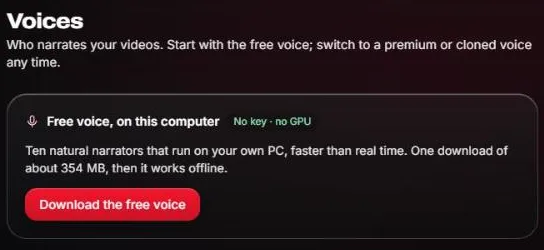
Voices → Download the free voice (about 350 MB, once). Press play on each narrator and choose one.
- No key and no graphics card needed; it runs faster than real time on an ordinary PC.
- Want a premium or cloned voice? Paste an ElevenLabs, OpenAI or Fish key on the same page.
Add the Chrome extension
It draws your images in Google Flow, with your own Google account.
- chrome://extensions → Developer mode → Load unpacked → the folder Scaldeo shows you.
- Press Link extension. No ID to copy.
- Open a Google Flow project in the same Chrome and leave that tab open.
Run the readiness check
Settings → Help → Run checks. It says exactly what to fix, if anything.